/eh/2025-01-08/173633966714069467/picture.png)

/eh/2024-12-24/173503345348979036/Favorite-Icon.png)
/eh/2025-07-08/1751962110204480194/picture.png)
/eh/2025-06-21/1750485478958537574/countryInfoIcon.png)
/eh/2025-06-21/1750485741321434291/Hi-Sign-in-My-Nihao.png)
/eh/2025-06-21/1750485837193896318/cart.png)
/eh/2025-06-21/1750485968202533847/cart.png)
/eh/2025-04-17/1744862476612819675/hot-img.png)
/eh/2025-11-07/1762504524550532584/header-icon.jpg)
/eh/2025-07-07/1751875582852206790/header-icon.png)
/eh/2025-07-07/1751875587886277738/header-icon.png)

Best in 7 days


Shopping security

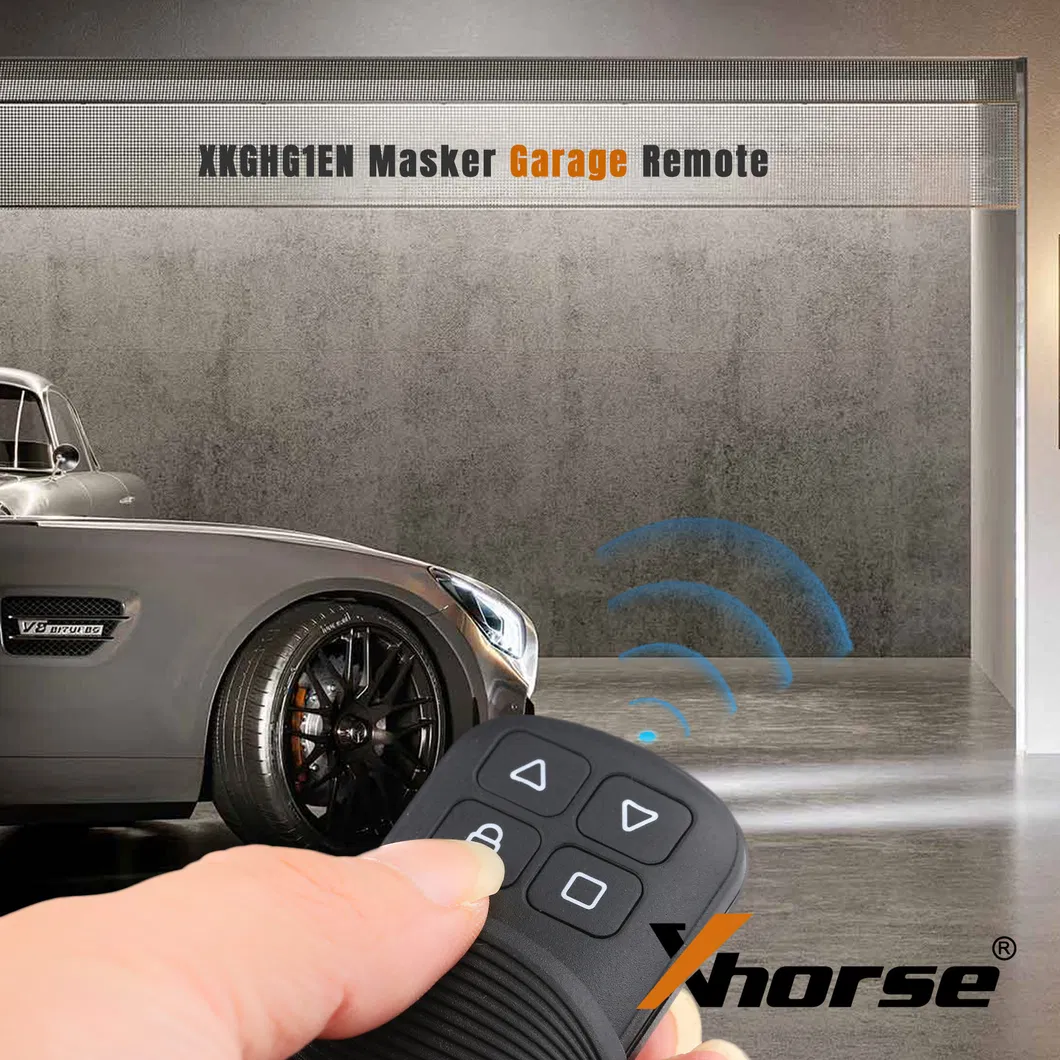
Xhorse Masker Garage Remote Highlights:
1. Switch frequency manually, over 20 frequencies available.
2. Switch frequency via devices, including KEY TOOL PLUS, KEY TOOL MAX PRO, KEY TOOL MAX, and MINI KEY TOOL.
3. Support fixed code cloning
4. PT224X, PT226X, EV1527, LX918, DOOYA, HT6P20, VD5026, AX5326, HT12X, SHAPU, BISENT(T18/T19/T26)
5. Support HCS rolling code cloning of over 100 garage doors, electric gates, and two-wheeled electric vehicles.
6. Support data recovery function.
Xhorse Masker Garage Remote Functions:
1. Delete Code
How to check Delete Code Status?
Before cloning remote, we should check the garage remote status, to make sure remote in deleted code status.
1) Deleted code status: The LED will flash once then go out quickly when keep pressing any button of the garage remote.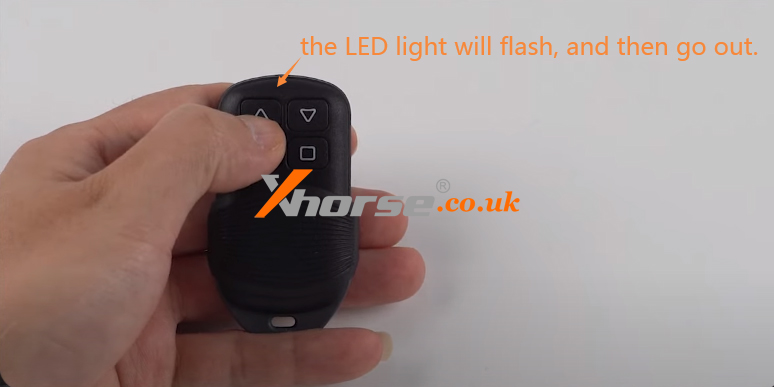
2) Delete code operation:
① Press and hold "Up" & "Down" buttons at the same time, until LED light on. Keep pressing 2 buttons until the LED light off, then release the buttons;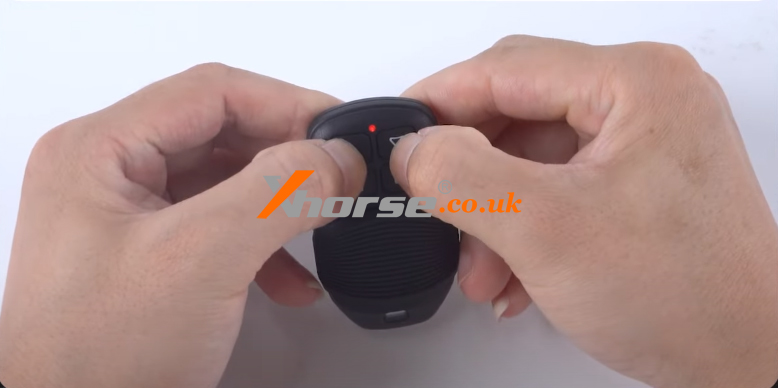
② Press and hold "Pause", until LED light on then off. Release the button, delete code successfully.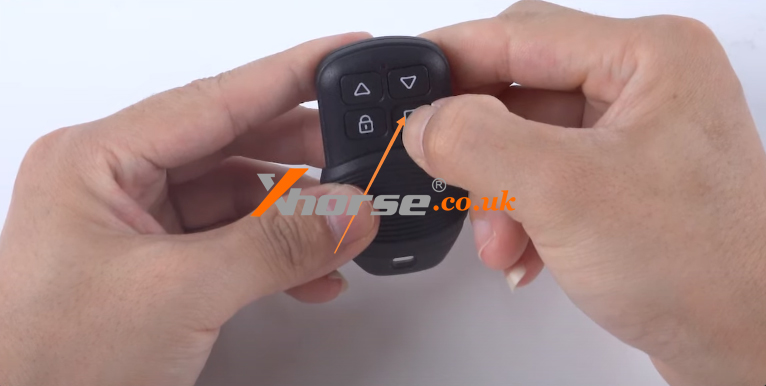
2. Remote cloning (remote clone from the original remote)
How to do Remote Cloning?
1) Preparation work
① Please confirm the garage remote has been in deleted code status. If not, please do above delete code operation first.
② Make sure the garage remote frequency is same as original remote, in case the remote cloning failed or even remote cloning successful, but the working distance is too short to work well.
2) Remote cloning operation
① Press and hold any one button of Xhorse Garage Remote, this remote will enter cloning mode, LED will flash once then off (keep pressing the button).
② Press and hold original remote one button (same button as step1). Put the original remote next to Xhorse garage remote. Once the LED light is on, which means current button cloning is successful.
③ Follow the above steps to clone remote all buttons one by one.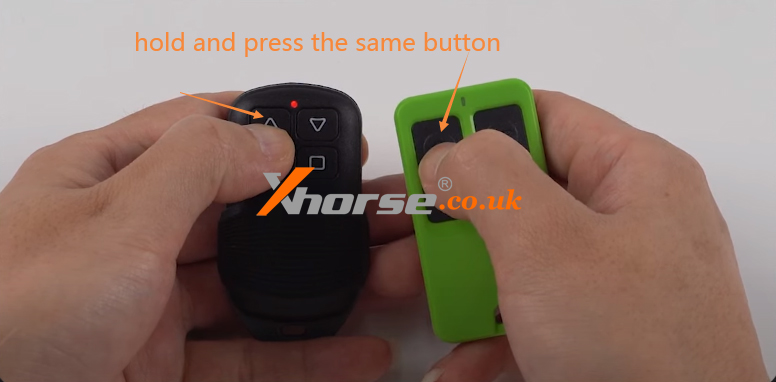
3. Set the frequency
How to do the frequency setting?
1) Enter set frequency mode:
Press and hold the "Lock" and "Pause" buttons at this time, remote LED light on, keep pressing two buttons until the remote LED light is off, then release the buttons.
2) Set frequency:
Press the "Up" button, Press once, LED flashes once. For different frequencies with different press times, please refer to the frequency reference table.
3) Double check frequency:
After the set frequency is successful, release all the buttons. Wait 5 seconds, the remote LED will flash, and the flashing times depend on the set frequency. (Please refer to frequency reference table).
| Frequency | Number of keystrokes |
| 315.00 | 1 |
| 350.00 | 2 |
| 430.00 | 3 |
| 431.00 | 4 |
| 432.00 | 5 |
| 433.00 | 6 |
| 433.82 | 7 |
| 433.92 | 8 |
| 434.00 | 9 |
| 434.42 | 10 |
| 304.00 | 11 |
| 310.00 | 12 |
| 311.00 | 13 |
| 313.00 | 14 |
| 315.50 | 15 |
| 330.00 | 16 |
| 350.05 | 17 |
| 370.00 | 18 |
| 430.50 | 19 |
| 433.70 | 20 |




Ships within 48 hours · Estimated delivery Aug 13 - Aug 18
US$40
Get nowSign up to your membership to get coupons up to
15%
Get nowOpportunity to enjoy order discount up to 15% off
Top-Converting Item to Boost Your Average Order


